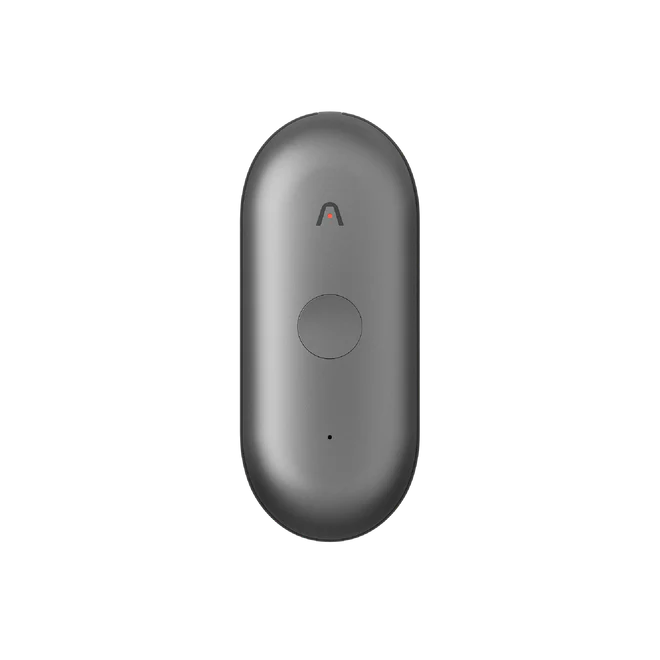
The PLAUD NotePin S is a compact, wearable recording device designed for mobility.
Purchase Through Treasure AI
Purchase your devices through Treasure AI rather than retail channels. The devices themselves are the same PLAUD hardware sold to consumers, but Treasure AI Voice integrates with them through PLAUD's Enterprise SDK, so devices purchased at retail aren't supported.
 |  |
|---|
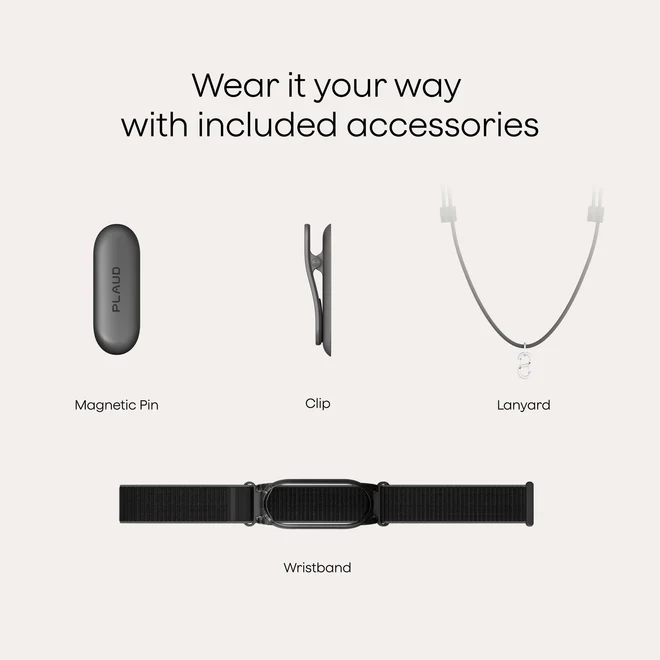
The NotePin S comes with multiple wearing accessories:
- Magnetic Pin: Attach magnetically to clothing for discreet, hands-free recording.
- Clip: Attach to a collar or pocket for field visits.
- Lanyard: Wear around the neck as a pendant for hands-free operation.
- Wristband: Attach to the wrist like a watch for easy access.
| Action | Operation | Description |
|---|---|---|
| Power On | Press and hold the recording button | Hold until the white light starts blinking, then release. The device is now ready to connect. |
| Start / Stop Recording | Long-press the physical button | Press and hold the button to begin a new recording session. Long-press again to end the session. |
The NotePin S uses a single LED indicator to communicate device status.
| Color | Meaning |
|---|---|
| White (steady) | Ready to connect |
| Red | Recording in progress |
| Purple (blinking) | Low battery |
| Purple (steady) | Charging |
| Green | Fully charged |
| Yellow | Storage nearly full |
Note
The indicator light cannot be turned off.