Engage Studio can replace eligible HTTPS URLs with shorter, recipient-specific URLs. Shortened links preserve space in an SMS message and provide the link required for native Engage Studio click tracking.
Use this page for SMS One-off Campaigns and Always-on Campaigns that contain destination URLs.
Before enabling link shortening, make sure that:
- A short code has been provisioned and assigned to your workspace.
- Your activation maps
phone_numberin E.164 format. - Your audience or activation excludes opted-out recipients.
- Your message contains an HTTPS destination URL.
For general setup, see Set Up SMS Sending. For campaign creation, see Create an SMS Campaign.
Open Engage Studio.
Open Engage Studio Configurations and select your workspace.
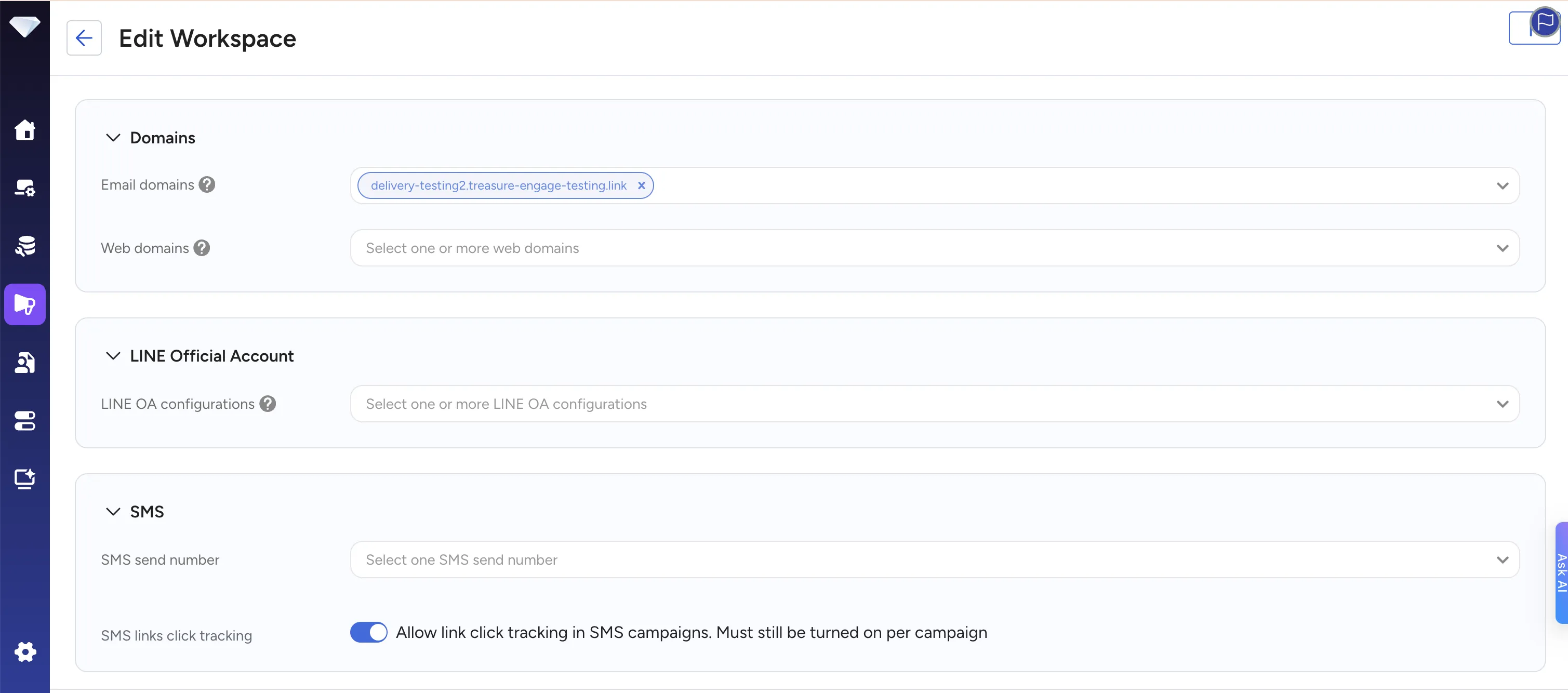
Under SMS links click tracking, turn on the workspace setting and select Save.
Add an HTTPS destination URL to the message body.
Turn on Use TD shortened URL in the campaign.
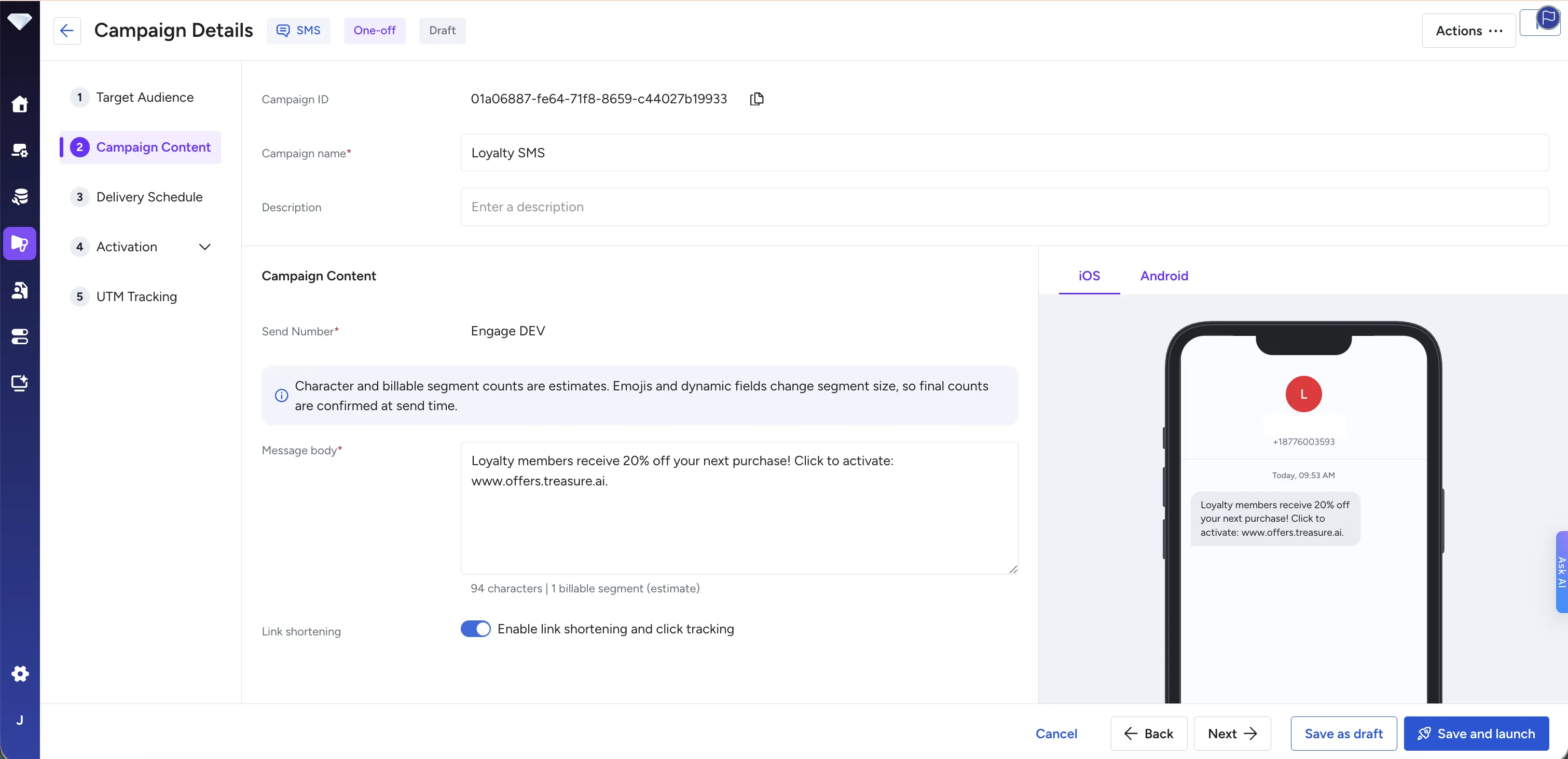
Review the message preview and segment count.
Save and launch the campaign.
The workspace setting is required before a campaign can record native click events. The campaign-level Use TD shortened URL setting determines whether eligible URLs are replaced with Treasure AI short URLs. There is no separate campaign-level click-tracking switch.
Engage Studio generates the final short URL when the campaign is processed for delivery. The message editor and preview do not show a live recipient-specific URL.
When the campaign is sent, Engage Studio:
- Renders the message for each recipient.
- Finds eligible URLs in the rendered message.
- Generates a unique short URL for each recipient and destination URL.
- Stores the short URL and destination URL relationship.
- Replaces the eligible URL in the message.
- Sends the message with the shortened URL.
Each recipient receives a unique short URL, even when recipients receive the same campaign and destination URL.
Only HTTPS URLs are eligible for shortening. The following URLs remain unchanged:
- HTTP URLs
- Malformed URLs
- URLs longer than 2,048 characters
- URLs that already use a Treasure AI short-link domain (
*.t6e.ai) - URLs pointing to
localhost,*.localhost,127.0.0.1, or::1
A maximum of five eligible URLs can be shortened in one message. Skipped URLs remain unchanged and do not cause the SMS to fail.
Engage Studio uses a Treasure AI-managed short-link domain. Customer-branded domains require separate domain configuration and are not covered on this page.
The message preview displays a fixed-length placeholder short URL so that you can estimate the message length. The placeholder is not a live link and does not create a link record. The final short URL is generated separately for each recipient when the campaign is sent.
Shortened links expire 90 days after they are generated for delivery. After expiration, the link returns 404 and its token is not assigned to another URL.
Link shortening and UTM tracking serve different purposes:
- Link shortening replaces an eligible URL with a shorter URL.
- UTM tracking adds campaign parameters to the destination URL.
- Click tracking records selections of shortened URLs.
You can use these features together. See Add UTM Tracking to SMS Campaigns and Track Clicks in SMS Campaigns.
Review the segment count after enabling link shortening or UTM tracking because URL content can increase message length and delivery cost.
Confirm that:
- SMS links click tracking is enabled for the workspace.
- Use TD shortened URL is enabled for the campaign.
- The URL uses HTTPS.
- The URL is not longer than 2,048 characters, malformed, a localhost URL, or an existing Treasure AI short-link URL.
- The message contains no more than five eligible URLs.
This is expected. A live short URL is generated only when the campaign is processed for delivery.
Review the message text, personalization values, destination URLs, UTM parameters, number of URLs, and character encoding. See SMS Message Requirements and Limits.
Confirm that the complete link was copied correctly and that it was generated within the 90-day expiration period.