You can check the status of your workflow sessions, tasks, or logs using the ID provided in the CLI.
Create a step-by-step guide:
- After running the workflow session, make a note of the ID you need to check the session, task, or log as shown in the image below:
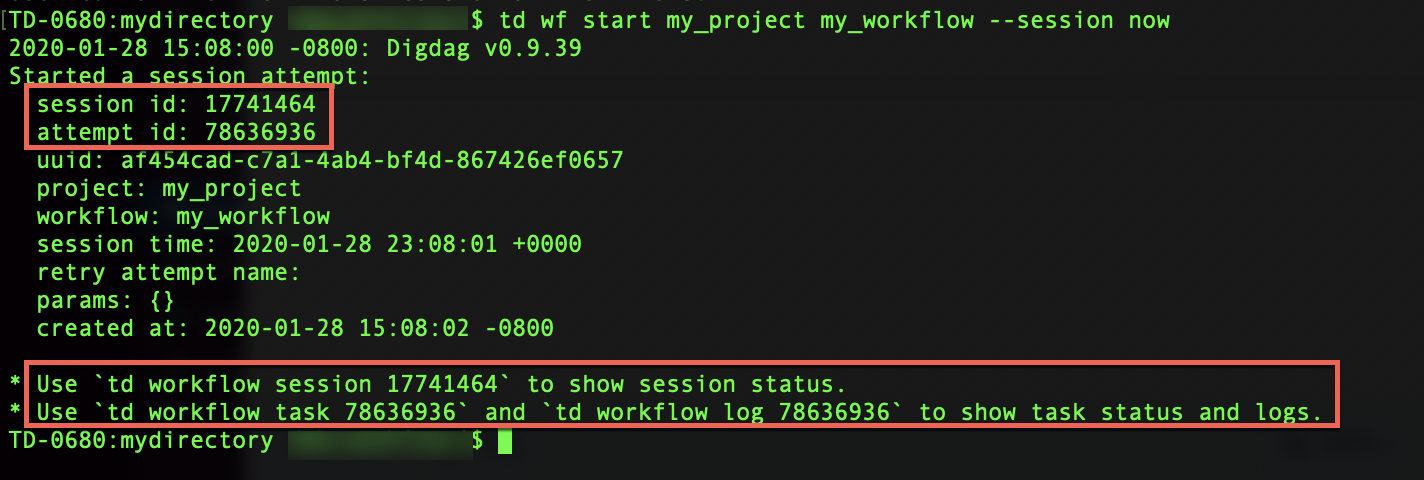 2. Type the following command in the terminal window to show the status of your workflow session, task, or log:
| Status | Command |
|---|---|
| session | td workflow session <session id> |
| task | td workflow task <attempt id> |
| log | td workflow log <attempt id> |