Treasure Data Journey Orchestration provides several icons to help you easily identify a journey's status.
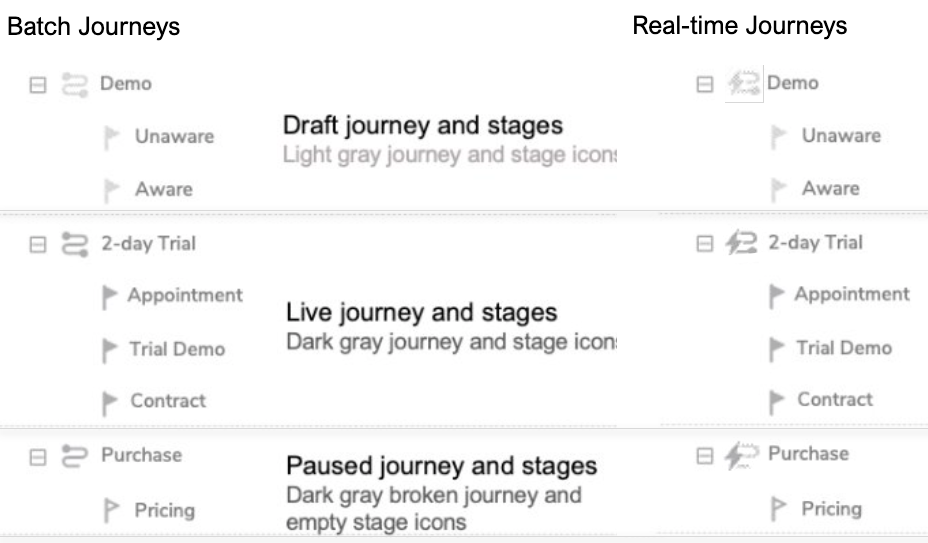
The latest launched journey version displays in the left panel when viewing journey in the Versions tab.

Batch journey versions have three statuses: draft, live, and paused. Review the following table to identify the actions you can perform in each version.
| Action | Draft | Live | Paused |
|---|---|---|---|
| Open version | ✓ | ✓ | ✓ |
| Edit version name | ✓ | ✓ | ✓ |
| Duplicate to new journey | ✓ | ✓ | ✓ |
| Delete version | ✓ | ✓ | ✓ |
| Pause version | - | ✓ | - |
| Resume version | - | - | ✓ |
| Set as latest version | - | ✓ | ✓ |
Legend:
- ✓ = Action available
- - = Action not available