Treasure AI premium audit logs provide a detailed audit trail of all activity that occurs in an account. Every event has an associated resource_id, resource name, and timestamp. By identifying specific areas of security concern, you can use the audit log to view potential breaches and unusual behavior and interrupt unauthorized actions.
The premium audit log tracks access events across:
- Treasure Console
- APIs
- Treasure Workflow
- TD processing engines
- Audience Studio
Premium Audit Log is an add-on feature that must be requested. Contact your Customer Success representative to learn more about availability.
- Your account must include the Premium Audit Log feature.
- You must be an owner or administrator to access the Premium Audit Log initially. Administrators can also assign non-admin users permissions to access the audit log.
When you purchase this premium feature, an access table is added to your account's Database view. The log is named td_audit_log. Even if you have multiple databases, you have only one audit log.
- Open Treasure Console.
- Navigate to Data Workbench > Databases.
- Search for the td_audit_log database.
- Open the details of the access tables. For example: access table.
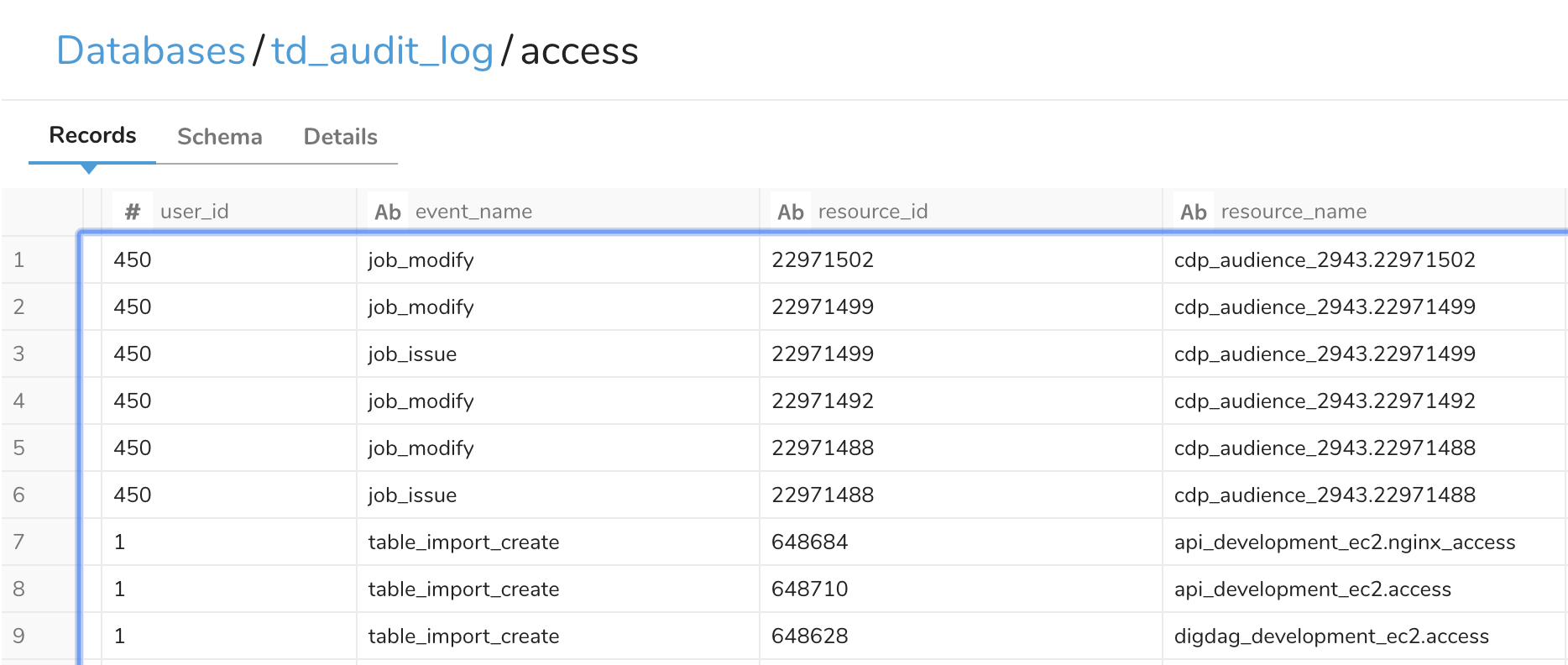
All events log the event_name, resource_id, and resource_name. Additional columns are logged depending on the event. These columns help you determine what action happened to which Treasure AI resource.
| Column | Description |
|---|---|
| event_name | Which event in the audit log list occurred on the resource |
| resource_id | A unique number assigned to the action. You can reference the resource_id to distinguish v4 and v5 events. |
| resource_name | Which Treasure AI resource was affected |
For example, suppose the event_name is job_modify and the request targets the cdp_audience_2943 database. When you inspect the log:
- Open the
accesstable and locate theevent_namecolumn. - Filter for the
job_modifyentry to see the details. - Review the
resource_namecolumn to identify whether repeated events are touching the same resource.
For the full column schema, see Premium Audit Log Reference.
- Premium Audit Log Reference — Complete column schema
- Premium Audit Log Events — All tracked event types