Chat data retention is the account-wide setting that decides how long Treasure AI Studio keeps a conversation before deleting it automatically. Conversations accumulate the customer data an agent retrieved along the way, so the retention period is how you bound that exposure to your organization's data policy. The setting applies to every user in the organization at once, and the shortest period that still lets people work is the right one to choose.
Set the chat retention period for your organization, and understand exactly which data the period governs.
- Signed in to Treasure AI Studio (Getting Started)
- The account administrator role
- Click your account name in the bottom-left of Treasure AI Studio to open Settings.
- In the left navigation, under Organization, click Data Retention.
- Under Chat retention period, select a period. The choice saves immediately and applies to every user in the organization.
| Value | Description |
|---|---|
| 14 days | Deletes chats 14 days after creation |
| 28 days (default) | Deletes chats 28 days after creation |
| 60 days | Deletes chats 60 days after creation |
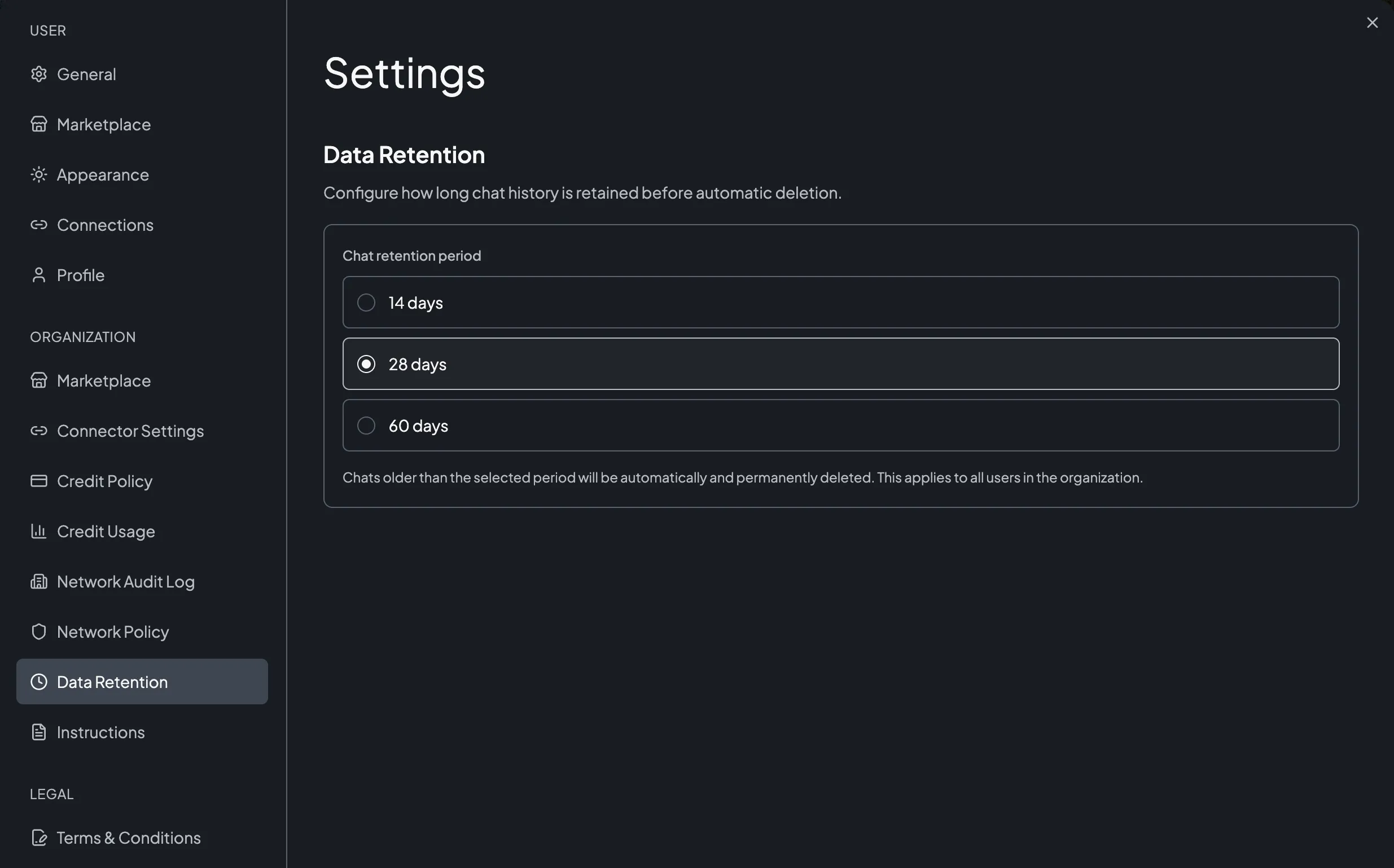
Chats older than the selected period are deleted permanently and cannot be recovered. Shortening the period takes effect on the next cleanup run, so conversations that are already older than the new period are deleted soon after you save — including other users' conversations.
The retention period is measured from the date the chat was created. A long-running conversation you are still adding to expires 28 days after it started, not 28 days after your last message. Move anything you need to keep into a work folder file, where the retention period does not apply.
The period governs every chat, in a work folder or not. What differs is the files: files in a work folder are exempt and outlive the chat, while a standalone chat's files go with it.
| Data | Lifecycle |
|---|---|
| A chat in a work folder, and its messages | Deleted automatically once the retention period elapses, and a user can delete it at any time. Its files are not deleted with it — see the next row. |
| Files in a work folder | Exempt from the retention period. They belong to the folder rather than to a chat — including files you attached from a chat inside that folder — so they outlive the chats that created them. They go only when someone deletes the file, or deletes the whole folder, which also removes the chats inside it. See File Retention & Deletion. |
| A standalone chat, and its files | Deleted together, on expiry and on manual deletion alike. A chat with no work folder keeps its files to itself, so nothing of it survives. These are the chats Studio marks Legacy — see Chats Without a Work Folder. |
| Files the agent wrote outside a work folder | Deleted with the chat, whether or not that chat sits in a work folder. The agent's working files and temporary files belong to the one chat that wrote them — no other chat can read them, and nothing of them survives the chat. See What Persists After a Chat Ends. |
| Network audit records | Governed separately, on a rolling window of roughly four weeks that this setting does not change. See Network Audit Log. |
Whether a file disappears with its chat is not a property of the file — it depends on whether that chat sits inside a work folder. A chat outside any folder takes its files with it, while a chat inside a folder leaves everything behind there: query results, exports, and attachments alike. If retrieved customer data has to be removed, delete those work folder files as well; waiting for the chat to expire is not enough.
Deletion runs in two stages, which is why "deleted" is immediate for you and near-immediate underneath.
- The chat is removed. When a user deletes a chat, or when a chat passes the retention period, it disappears from Treasure AI Studio right away and cannot be restored by the user or by an administrator. There is no trash or undo.
- The stored data is erased. A scheduled cleanup process then permanently destroys the conversation record and its files in storage. A short cooldown separates the two stages so that in-flight streaming sessions end cleanly first.
The practical consequence: a deleted chat is unrecoverable from the moment it disappears, and its underlying storage is erased shortly afterward rather than in the same instant.
When your account is offboarded, all associated Treasure AI Studio data is purged regardless of the retention period — every chat, every file whether uploaded or agent-generated, and every work folder configuration.
- Settings → Organization → Data Retention shows the period you selected
- A chat older than the selected period is no longer listed after the next cleanup run
- Files you need to keep past the period are stored in a work folder, not in a chat alone
| Issue | Solution |
|---|---|
| You cannot find Data Retention in Settings | The page is visible only to account administrators. Confirm your role with your organization administrator. |
| A chat you expected to expire is still listed | Expiry runs on a schedule rather than at the exact moment the period elapses. Allow for the next cleanup run. |
| Files remain after the chat that created them expired | The files are in a work folder and are exempt from the retention period. Delete them from the work folder directly. |
| You need chat history kept longer than 60 days | 60 days is the maximum period. Export or move the content you need into a work folder file, which retention does not delete. |
- Security Overview — Sandbox isolation, encryption, and data residency
- Chat History — Finding, renaming, and deleting chats
- File Upload & Download — File retention and deletion rules
- Network Audit Log — The separately retained record of agent network activity